

Help Center / Saving, Sharing & Accounts
Save and reopen designs on this device
Cutting Board Designer saves your current design automatically, and you can keep named copies in My Projects. Here's how each kind of saving works.
How saving works
Automatic save: the design you're working on saves automatically in this browser as you make changes.
My Projects on this device: choose Save to keep a named copy. It's stored only in this browser.
Design files: Export downloads your design as a file. Import opens a design file in this browser or in another one.
Your account: if you're signed in, you can also save designs to your account and open them wherever you sign in. See Create an account and save designs to it.
Save a design to My Projects
Choose Save at the top of the app, or Save Design in the Export & Save panel.
Enter a Name and choose Save.
Each time you choose Save, a new copy is added to My Projects on this device.
Reopen a saved design
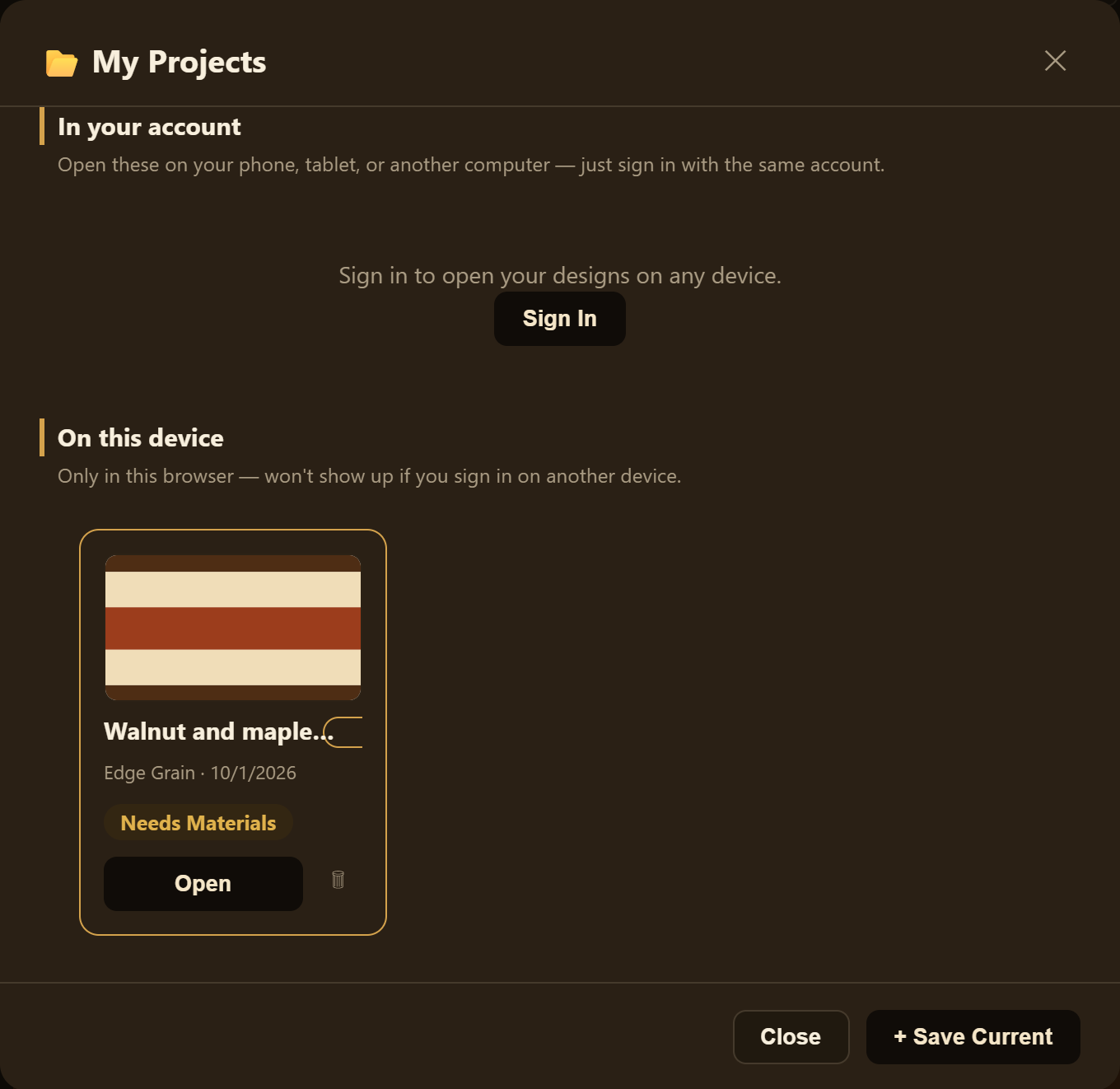
Choose My Projects.
Under On this device, find the design and choose Open.
Move a design to another browser or computer
Open the design and choose Export. On smaller screens, Export is under More actions. Your browser downloads a design file.
In the other browser, open Cutting Board Designer and choose Import, or More actions and then Import. Select the design file.
Importing opens the design in the editor. Save your current design first if you want to keep it.
When My Projects is full
My Projects can hold up to 20 designs on each device. When it's full, Save won't add another design. Instead, the app tells you My Projects is full and asks you to delete a project you no longer need, or export one you want to keep, first. Nothing is removed, and the design you have open stays as it is.
To delete a design from this device, choose the trash icon on its card in My Projects.
To export a saved design, open it from My Projects, then choose Export.
Good to know
Designs saved only on a device stay in that browser. If you clear your browser data or switch browsers or devices, they won't come with you unless you've exported them or saved them to your account.
You need an internet connection to open the app. If your connection drops while the app is open, you can keep designing and saving to My Projects on this device.
Related articles
Still stuck? Contact me.