

Free from The Kingsbury Workshop
Cutting Board Designer
Plan a cutting board before anyone cuts wood. Pick your wood, set the size and style, see it in 3D, and get a materials list and cost estimate as you go. It's free, it runs in your web browser, and it works whether or not you ever order a board from me.
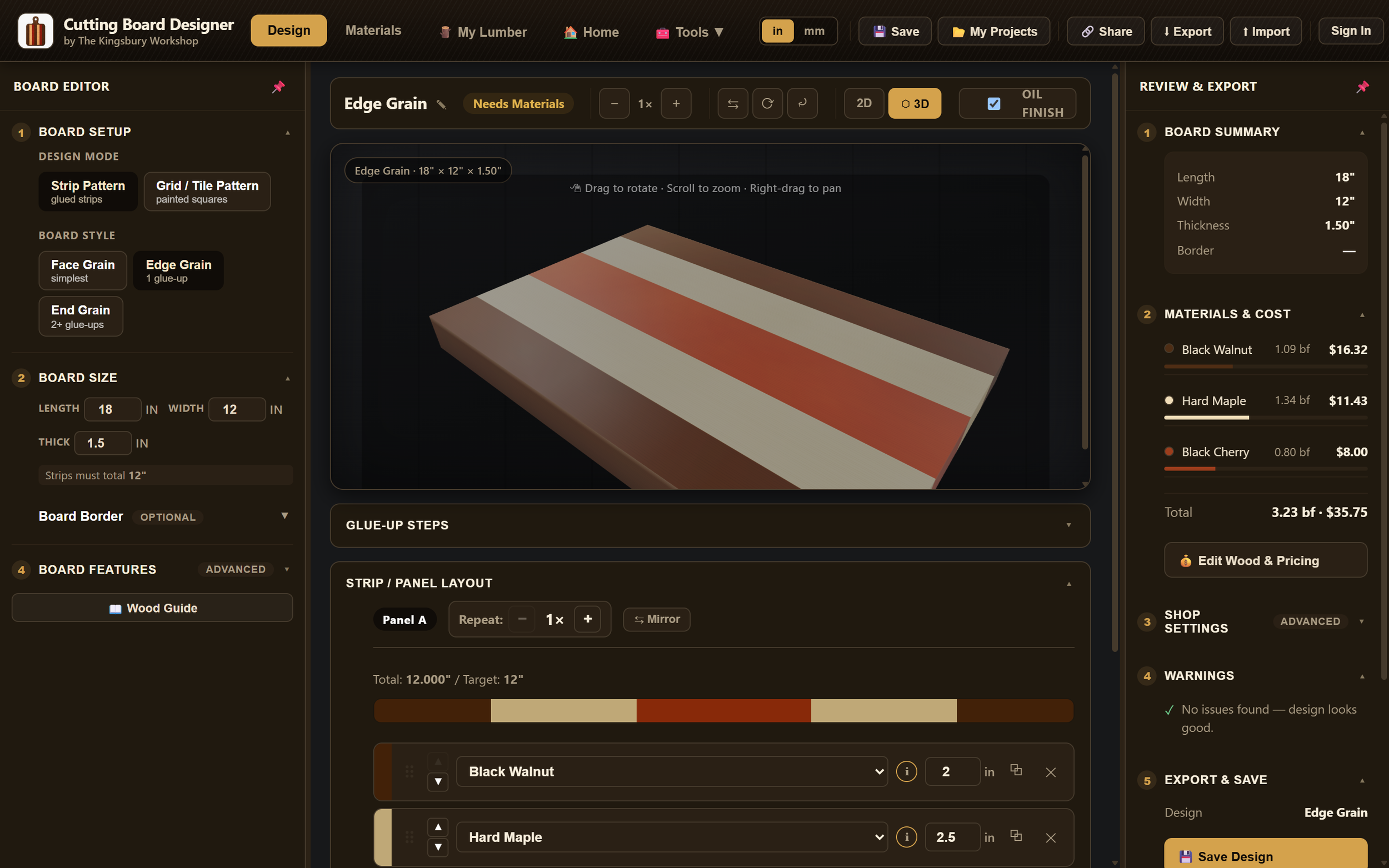
Use it your way
Planning a custom order
Design the board you have in mind, then paste your design link into the custom order form. I'll see exactly what you designed and use it as the plan for your board.
Building your own board
Plan your own build: the wood, the strip widths, the glue-ups, and how much lumber to buy. Then take the plan to your shop on a printed PDF or on your phone.
Design it
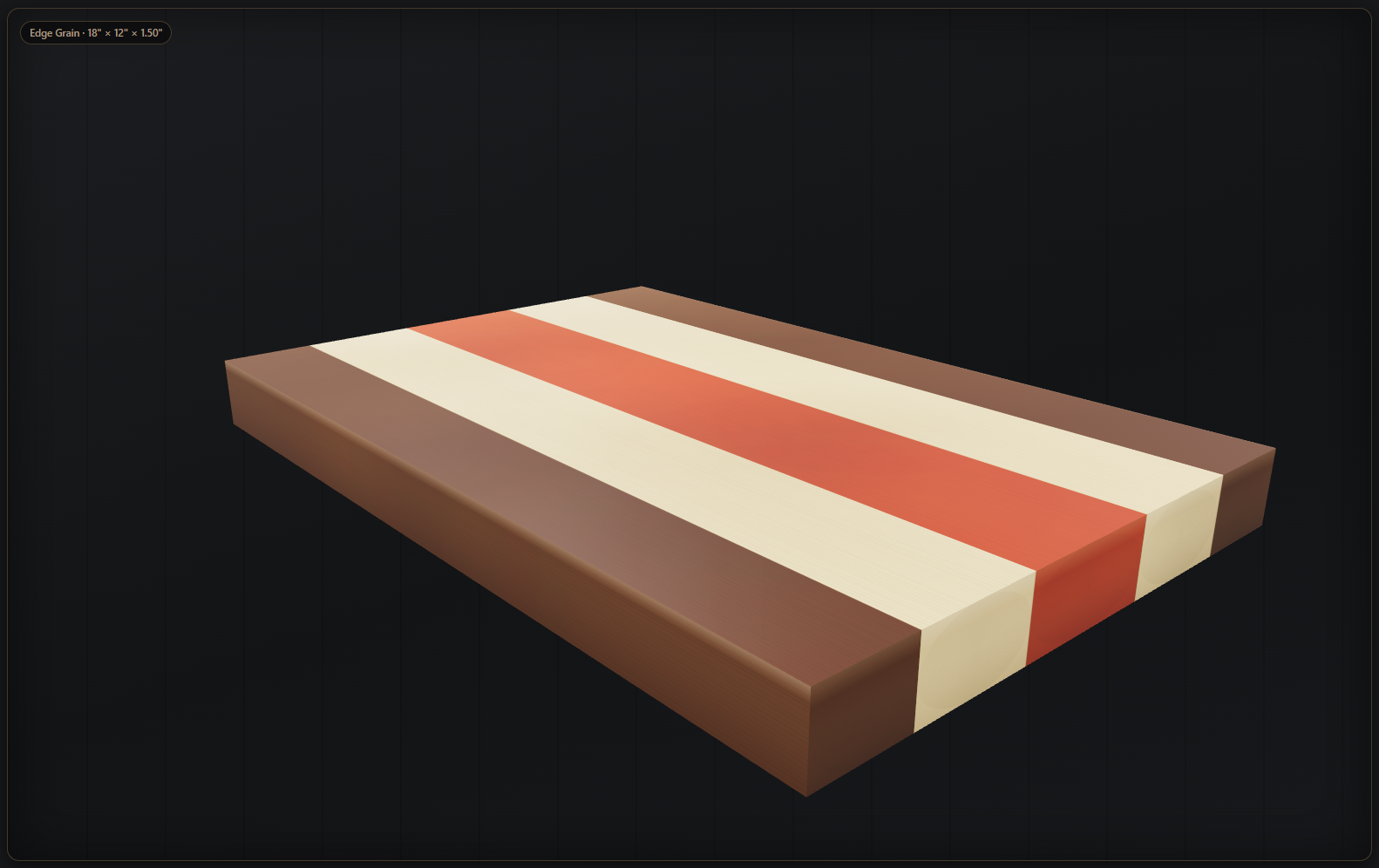
Choose face grain, edge grain, or end grain, then lay out strips or paint a grid pattern. Start from the pattern library or build your own, and add a border, a juice groove, handles, or rounded edges.
Mix 28 real wood species and check the result in a live 2D or 3D preview, including how the board looks with an oil finish.
Know what it takes
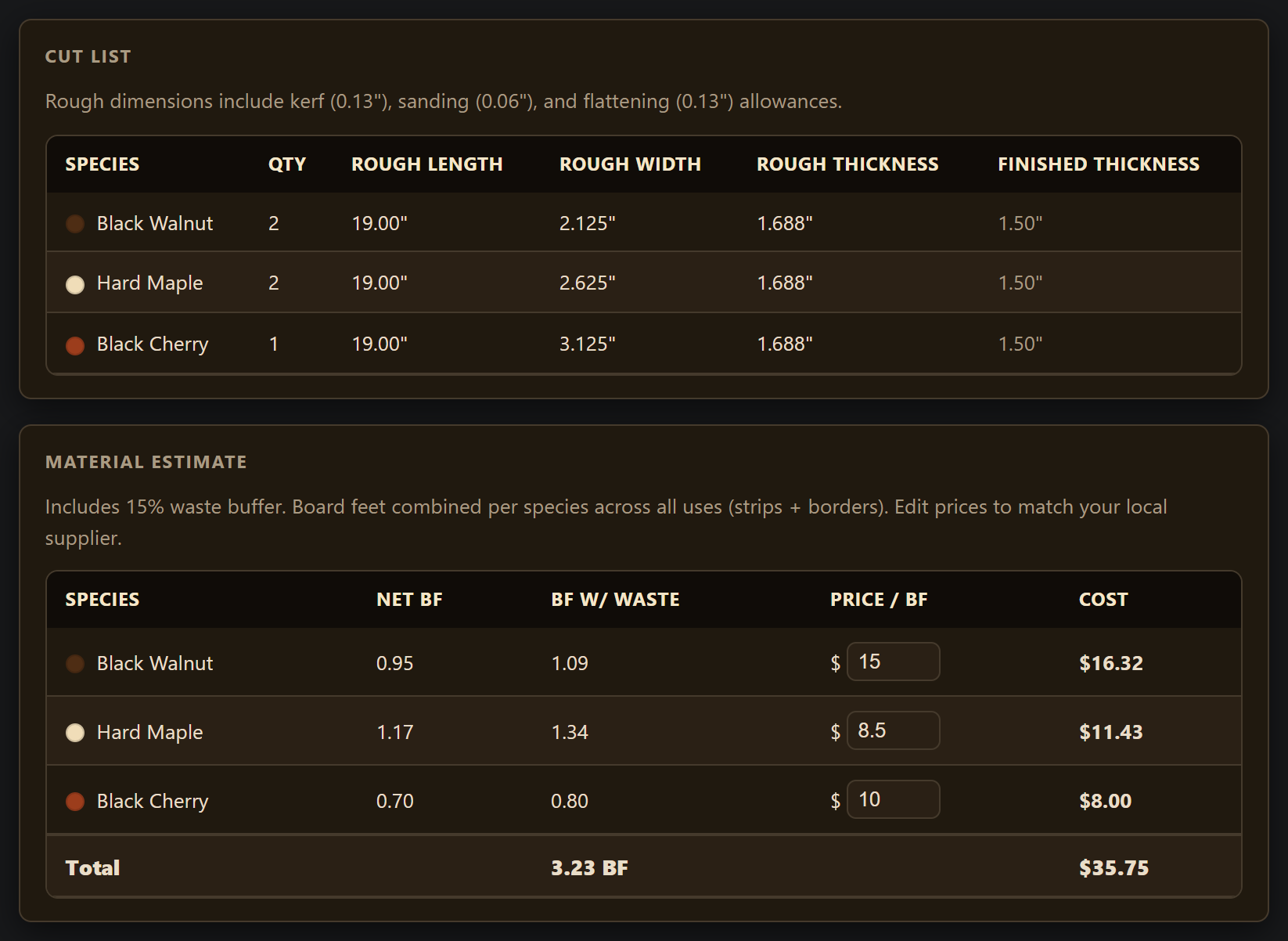
As you design, the board summary shows the finished dimensions, and the materials panel estimates board feet and cost for each species. Prices are estimates, and you can edit them to match your lumber supplier.
The Materials view gives you a cut list, and the glue-up steps walk through the build in order. If you track the lumber you already own in My Lumber, the designer can check whether you have enough for the board.
Take it to the shop
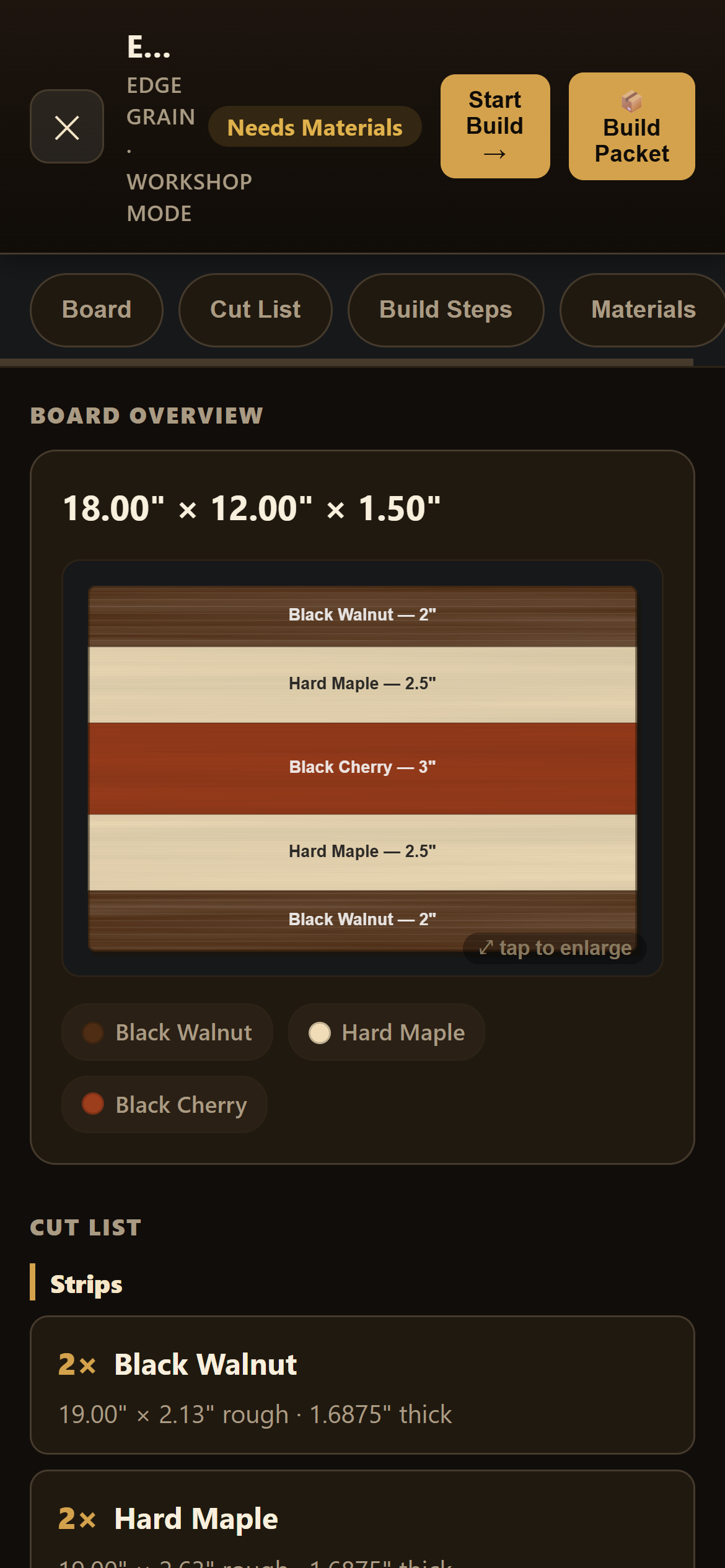
Workshop Mode puts the cut list and glue-up steps on your phone at the bench, with steps you can check off as you go.
Export a plan PDF to print, put together a full build packet, or share a link to your design with anyone.
Free to use. Account optional.
Without an account
Everything in the designer works without signing in.
Your current design saves automatically in your browser.
Save up to 20 designs to My Projects on this device.
Share a design with a link, or export a plan PDF.
With a free account
Sign in with your email and a password when you want your work kept with you, not just in one browser.
Save projects to your account and open them wherever you sign in.
Keep your My Lumber inventory in your account, too.
The first time you sign in, you can choose to copy the designs already on your device into your account.
Designs saved only on a device stay in that browser. If you clear your browser data or switch devices, they won't come with you unless you've saved them to your account or exported them. Saving to your account happens when you choose Save. It isn't a live background sync.
Need help using the Designer? Visit the Help Center.
Made by a woodworker
I built Cutting Board Designer to plan cutting boards for The Kingsbury Workshop, my one-person woodshop in Washington State. If you'd rather have me build your board, send a request with your design link or just a rough idea.